
روتوش و رنگی کردن عکس
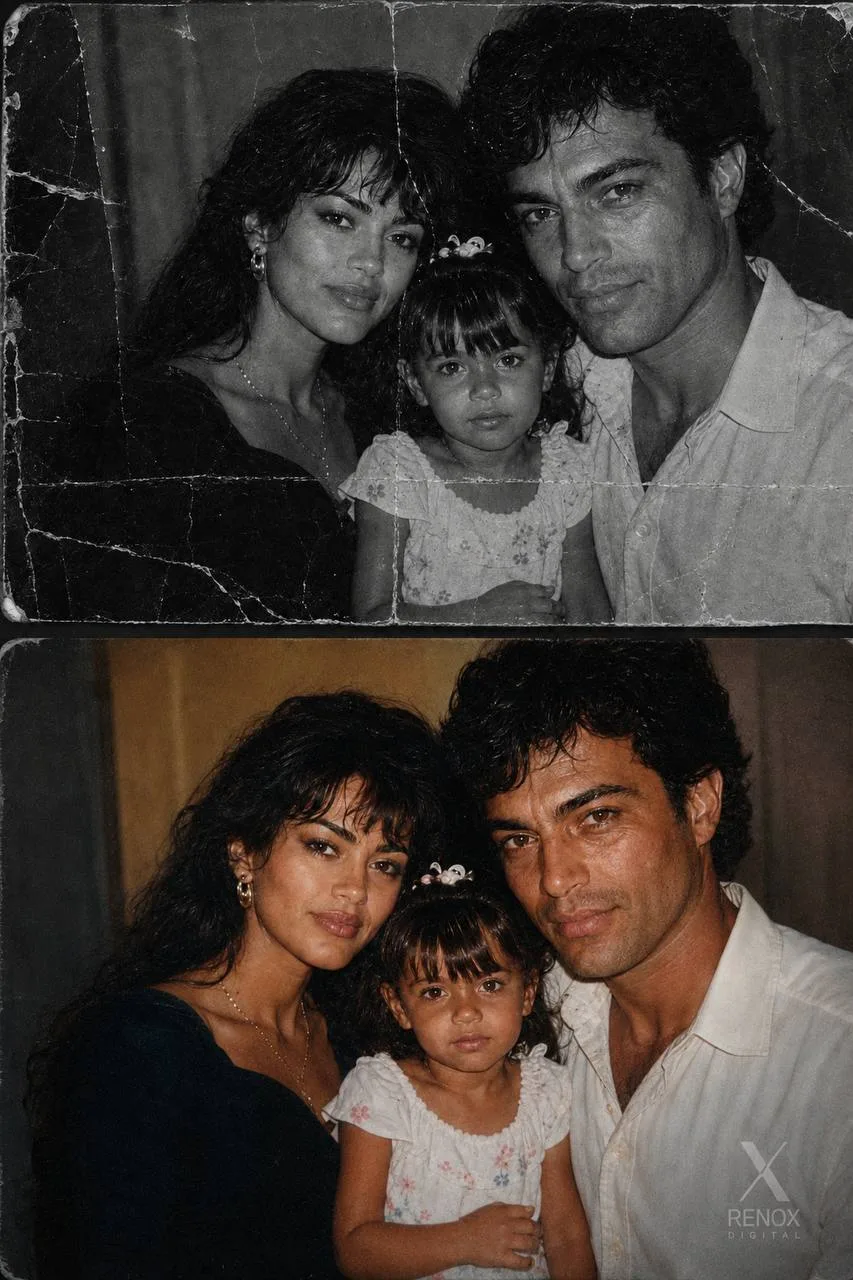
Prompt (EN)Restore and colorize the uploaded historical black-and-white photograph while keeping the overall scene, pose, and subjects consistent with what is visible. Do not change the composition, but you may reconstruct missing or unclear areas when the image is too damaged to determine exact detail.
Perform a full restorationacross the entire image, including:
repairing heavy fading, stains, cracks, scratches, and missing sections
reconstructing faces, clothing, and background features based on the shapes, silhouettes, and visible cues in the original
clarifying all people, objects, fabrics, and surroundings with natural detail
restoring edges and textures as they would realistically appear, without modern stylization
maintaining the historical era feel and keeping proportions natural
preserving identity and expressions as faithfully as the surviving image allows
When details are too obscured to recover directly, infer them in a historically plausible and realistic way, staying consistent with the likely clothing, hair, and environment of the period.
Apply historically accurate colorization: muted colors, natural skin tones, subtle era-appropriate hues. Avoid modern brightness or saturation.
Keep lighting and general scene structure consistent with the original photograph.
Final output should feel like a faithful reconstruction of the moment captured — restored, completed, and colorized while respecting the historical authenticity of the photo.
دربارهٔ پرامپت «روتوش و رنگی کردن عکس»
«روتوش و رنگی کردن عکس» یکی از پرامپتهای آمادهٔ عکس هوش مصنوعی در دستهٔ «استودیو عکاسی» در گالری RENOX Prompts است و با کلیدواژههایی مثل Repair توصیف میشود. این پرامپت برای ساخت و ادیت عکس با ابزارهایی مثل ChatGPT، Sora و Midjourney نوشته شده است.
طرز استفاده ساده است: متن پرامپت را کپی کن، در ابزار هوش مصنوعی دلخواهت پیست کن و در صورت نیاز عکس مرجع خودت را همراهش بفرست. برای نتیجهٔ دقیقتر میتوانی جزئیات مثل لباس، نور، زاویهٔ دوربین یا پسزمینه را در متن عوض کنی و چند بار خروجی بگیری.
اگر دنبال ایدههای مشابه هستی، همهٔ پرامپتهای «استودیو عکاسی» و پرامپتهای دیگر این گالری را هم ببین. همهٔ پرامپتها برای تولید عکس شخصی، پروفایل و محتوای شبکههای اجتماعی مناسباند.